Open the game tab before using keys
The recorded desktop controls list WASD move, mouse camera, Space jump, Shift slide, E interact, R ultimate, Q aiming and P/Esc pause. Check Settings → Keys for your current bindings.
Escape can leave browser fullscreen. The pause key may vary when the game or browser bindings change, so check the current Keys panel. Customized bindings and browser shortcuts can behave differently.
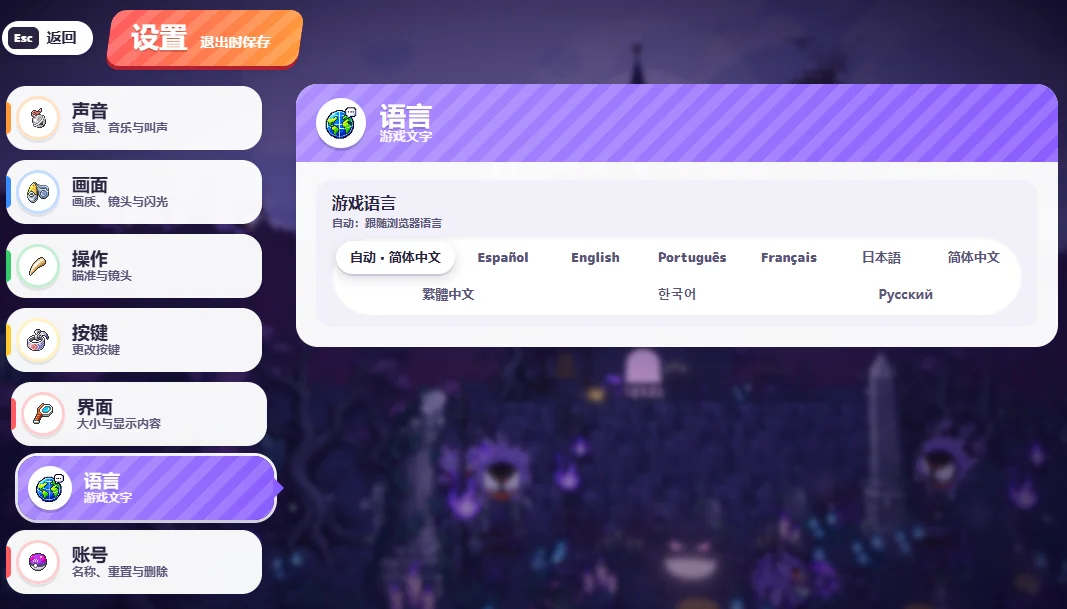
Change the game’s own language
Open Settings → Language → Game language. The supplied screenshot shows automatic browser language, Spanish, English, Portuguese, French, Japanese, Simplified Chinese, Traditional Chinese, Korean and Russian.
Our EN/中文 switch changes this guide only. Choose the language inside the original game to change its interface.
Adjust the sound channel you need
Settings → Sound contains master volume, music, effects, Pokémon cries and mute in background. Lower music to keep effects, or master volume to lower everything. The screenshot percentages are that player’s choices, not recommendations.
The settings header says changes save when leaving. Use its Back control after editing and check the result before a long run.
Mobile display and performance
Try landscape and fullscreen for more room. Use the game’s touch controls when available; this guide cannot guarantee support or performance on every phone.
For low performance, inspect Settings → Graphics, reduce the quality offered and close heavy tabs. For a blank player, read the loading guide before clearing stored session data.